Value Items
Value Items are a contribution of value to an object. As such they can only be viewed and edited in the right hand contributions window.

You can edit an existing value item using the Edit Value item button. You can also double click on a value item to edit it.

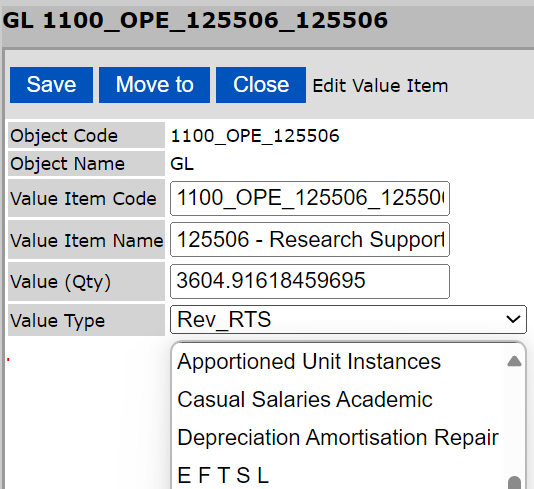
The window that opens allows you to choose a code, name, quantity and type for the value item.
A value item can be deleted using the delete value item button.

Value items are defined within the Value Items tab of the administration section accessed through the admin button.

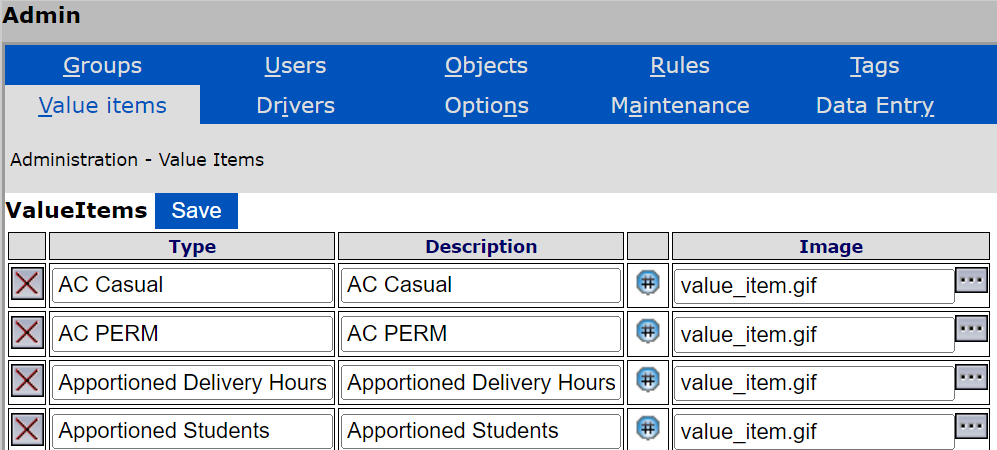
Use the […] button to browse for a suitable image for each value item. These value item types are what you can choose from when creating a new value item or editing an existing value item. They are in the drop-down menu for Value Type as shown above
Precautions
- Take care to ensure Value Item codes are unique. Use a naming convention.
- Value Items are not to be confused with objects in the UnitVal module. The UnitVal module is for creating value in the cubes instead of visibly in the model.
- Some value types, especially student revenue, require special drivers. Take care that the value item types you use do have a way to propagate through the model right through to the end.
- Problems may occur if there are two value items of the same type and value but one is negative and one is positive. It is good practice to delete those netting to zero within each object.