Modules
A module is a segment of the model that can be thought of as a participant in how the organisation turns transactions into products. At a minimum in an activities-based costing model, there would be a Resource or General Ledger module, an activities module, and a Services or Products module. e.g. for a bakery the transaction of buying/selling bread and ingredients would be held in the General Ledger module, which would be allocated to the activity of baking bread in the Activity module, which is then allocated to the product of bread in the Products module.
The modules for a model are defined within the modules tab of the administration section.
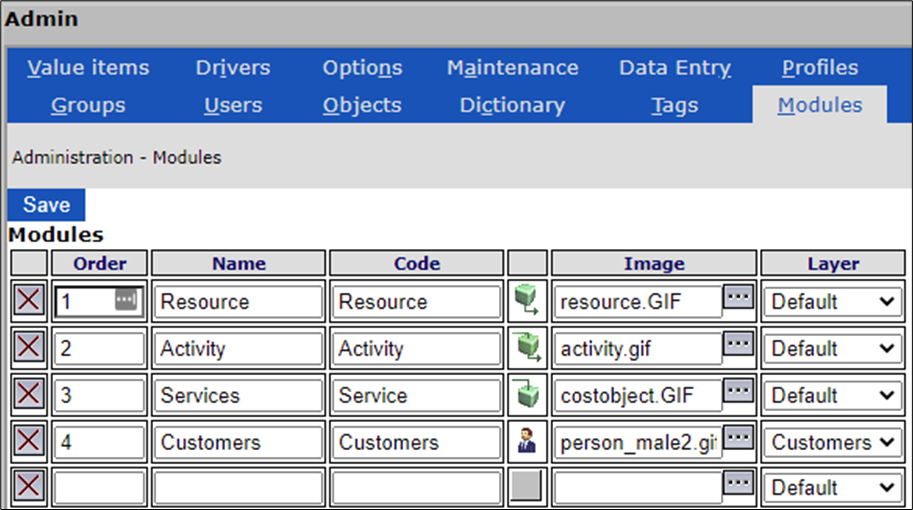
Each module has its own default image and an order in which it appears. The order controls how the paths can flow from module to module. A path can only flow from a lower module to a higher module.
They will appear in order at the top of the Assignments and Contributions window panes. Click on these to navigate to them.

As well as the basic modules you can also define alternative layers and alternative module modules. Often this is done for the Resource module as the organisation may need to view expenses from both the point of view of the organisational hierarchy and the point of view of the accounts used. To access the alternate view, simply navigate to the module and then click on its icon a second time. A window will pop up allowing you to choose the view you want.
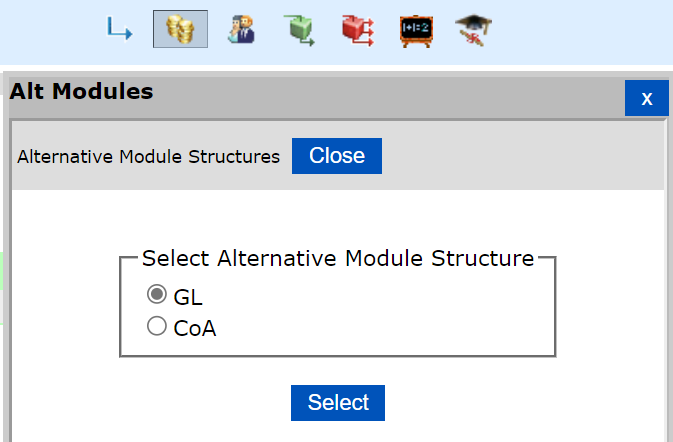
Another way to access the alternate views is to click on the Alternate Structure button

The same pop-up window will appear.
Additionally, all objects in two or more views of the same module will contain a link in their edit window to where they are in the alternate view. Double-click on the object and find 'Alternative Structures'.
