Tags
A tag is a piece of information that can be placed on a structure or object. This serves two main purposes:
- Drivers: tags provide drivers with something to look for when the model is calculated. For example, if a certain cost should only be applied to teaching that is delivered online, then a tag called 'online' can be put on every relevant teaching object and the driver will only send that cost to those objects.
- Cubes: tags can constitute dimensions or measures within cubes for reporting. For example, if 'online' is a tag can be used as a filter in a report, allowing you to get the total cost of online teaching.
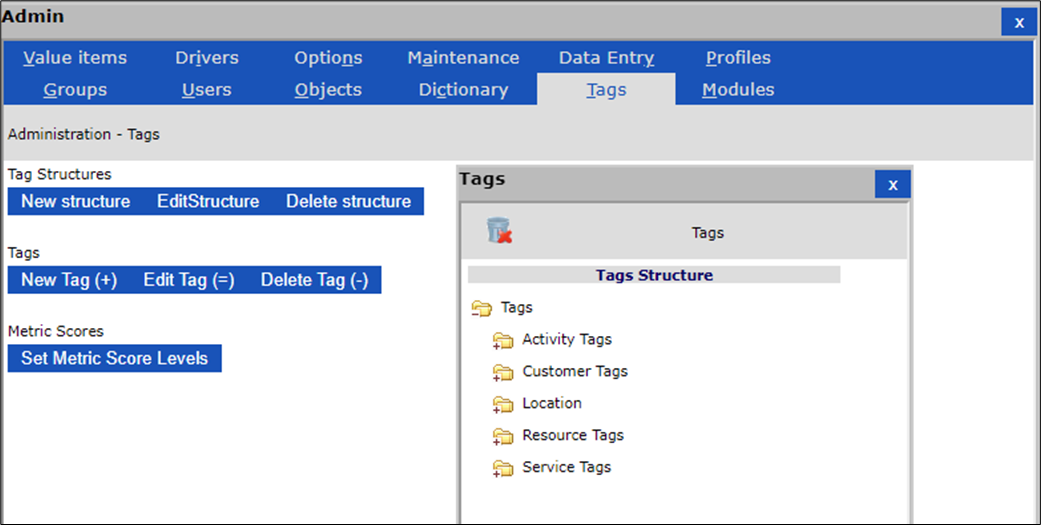
The tag definitions and tag structures are controlled from the tags tab of the administration section accessed through the admin button.

The tags window can also be opened directly by clicking on the tags button of the task bar

You can browse the existing tag structure in the pop-up tags window.
Insert, edit and delete structures and tags using the appropriate buttons in the administration window.
There are 8 different types of tags
-
Numeric - Stores a numeric value against the tag
-
Text - Holds no information other than the name of the tag itself
-
Menu – Like a text tag but offers itself as a drop down menu along with the other menu tags in the same tag structure
-
String – Stores a string value against the tag
-
Formula – Calculates a value using the specified formula
-
Checkbox – Provides a check box that can be selected
-
Radio Button – provides a Radio Button that can be selected
-
Date – Stores a Date value.